Review Comments (0) Screenshots (4) Questions & Answers (0) Votes (0) Awards (6) Wiki  
foryoursoft.com
3.58
www.foryoursoft.com
Shareware
$23.95  Purchase
12 people
Download File Property Edit

869.42 KBDownloaded 750 times

 
Video tutorial for File Property Edit 3.3
Frame

Review

This is official description

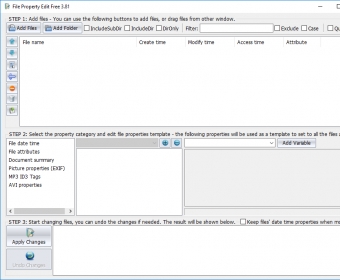
With just several clicks, you can easily change the files' attributes, including "create time", "modify time", "last access time", "read-only", "hidden", "system"... and modify their properties, such as document summary properties, photo's EXIF properties, and MP3 ID3 Tags (V1 and V2). With the powerful file and folder browse feature and the drag and drop support, you can add a group of files and directories. The 1-click Undo feature allows you to rollback all the changes you just made. It also supports quick preview feature, which allows you to see the picture's thumbnail while you edit it, and export feature, which allows you to export file properties into XML file or CSV file.
 
The following review written by one of the Software Informer contributors applies to version 3.0

File Property Edit is an application designed with the purpose to help you modify the properties of the files and folders as easy as possible. This utility will be able to process a file, a folder containing a list of files, several sub-folders or a whole directory at one time. The easy-to-use and smart interface is designed in such a way, that you can access all the features right from its main window. It enables you to modify time settings, select several file attributes from the list like Read-only, Archive, Hidden, System, Temporary, Offline, not content Indexed, Normal and change other file properties with few mouse clicks. Furthermore, it can be used to add or edit other important file information such as name, author, keywords, revision number, templates, etc. With its powerful filter and exclusive filter option, you can selectively process necessary files or folders. And if you aren't satisfied with the applied alterations, you can get back and restore your old settings by just pressing the "Undo" button. To make your working experience fresh and nice, this tool provides several color themes, so that you can change the interface color as you wish.
  • Easy-to-use.
  • Supports filtering.
  • Provides 15 color themes.
  • Undo facility.
  • Only the first 50 files can be changed in the trial version.

Reviewed by: Venugopal Naidu

Reviewer rating:

Reviewed: 2 years ago

What's new in version 3.0

1. Fix the "change multiple files stops at the first one" bug.
Report a wrong version Report a wrong program title Suggest a correction

Screenshots

Main window Main window Main Interface Main Interface Selection of Attributes Selection of Attributes Screen After Processing Screen After Processing

Latest comments


There are no comments, be the first one!
Add new comment

E-mail Address:

Password:

Register now »

Forgot password?

Sign in with:
Download Software Informer Client
Copyright © 2012, Informer Technologies, Inc. About| Privacy and terms| Help| Feedback & Support| Partners program